



3 Tips for Setting Up Your Garmin LiveScope
Did you just buy a Garmin LiveScope for the upcoming season? Our Fishing Expert, Carson, shares three essential tips to help you set up your LiveScope for the best performance on the water.
Tip #1: Choose the Right Transducer Placement
You have a few choices as to where you can mount your Garmin LiveScope transducer—trolling motor shaft or external pole.
Mounting on a Trolling Motor Shaft
There are two big advantages to this setup:
-
The Garmin LiveScope includes everything you need for mounting on the trolling motor so there’s no added expense.
-
It allows for hands-free operation, letting you quickly scan for fish.
Expert Tip | This is a common setup for bass anglers because they spend most of their time on the bow of the boat scanning and quickly moving between targets.
Mounting on an External Pole
This mounting option is especially popular among walleye anglers who troll, vertical jig, or use spot-lock frequently. You can mount this pole in a few different places—bow, near the console, or on the transom.
-
Bow: Common for crappie fishing, spot-locking on suspended fish, or casting and pitching to walleye.
-
Near the Console: Ideal placement if you spend time driving and scanning for fish.
-
Transom: This is a great choice for guided trips or fishing with multiple people.
Tip #2: Proper Power Supply
When powering up your LiveScope transducer and graphs, it’s important to have good, quality 12-volt power. From there, make sure you have the proper wiring on the LiveScope—Garmin recommends 8-gauge wiring and dedicated runs depending on the number of units.
Tip #3: Fine-Tune Your Garmin LiveScope Settings
Out-of-the-box settings work well for most anglers, but slight adjustments can improve your image clarity depending on the water conditions. The two most used settings are range and gain.
-
Gain Setting: Think about this setting as your sensitivity level. Typically, the clearer the water you’re in the lower you can keep your sensitivity. By adjusting the gain, you can get a clearer image of what’s below. To return the auto setting, simply tap in the center.
-
Range Setting: The range setting is to adjust the distance that your transducer scans. A shorter range provides greater detail, helping you pinpoint fish and structures. To return the auto setting, simply tap in the center.
Once you’ve set the gain and range, you can adjust other settings like color schemes, TDG (time-varying gain), and bottom fill for an even cleaner display.
Expert Tip | Each of these settings acts as a filter, so it’s best to keep them as low as possible.
With these tips, you’ll be ready for fishing season, making the most of your Garmin LiveScope. If you have additional questions about forward-facing sonar, stop into your local SCHEELS to speak with a Fishing Expert.

About our Experts
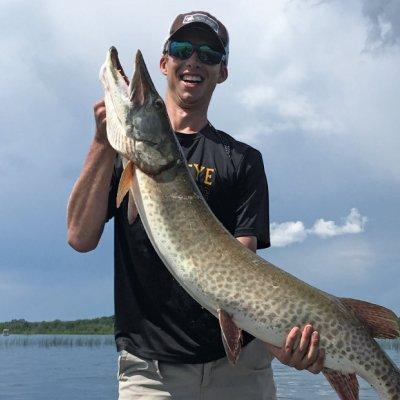
Since a young age, Carson has been passionate about fishing and was always surrounded by family and friends who share the same interests. Now a Specialty Shop Manager at SCHEELS, he enjoys learning from industry experts at SCHEELS University and bringing that knowledge back to the customers.